AI Kuliah DiLuar Yuk
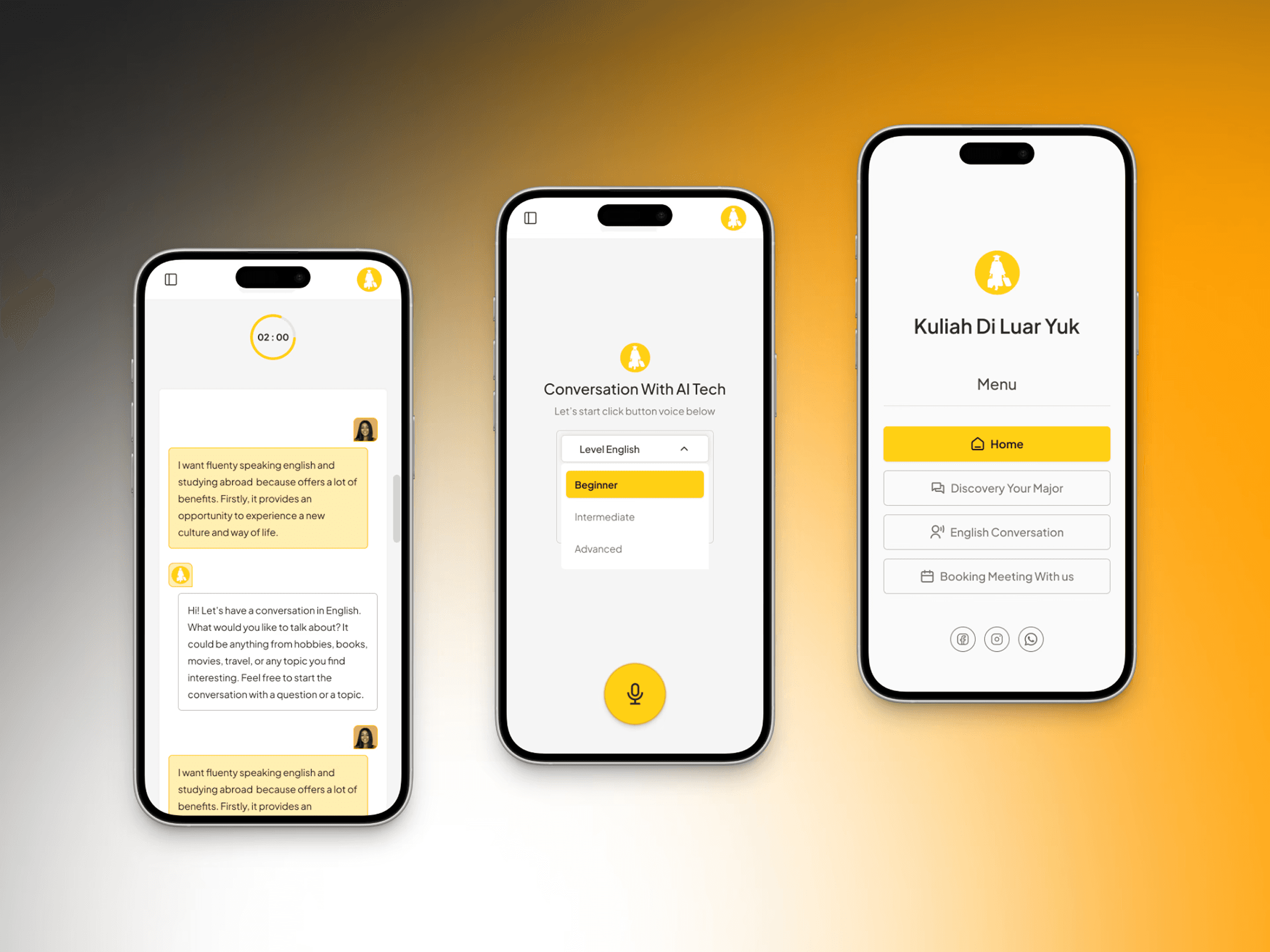
The AI Kuliah di Luar Yuk project faces several challenges that need to be addressed in order to provide an optimal user experience. One of the challenges is ensuring the quality of conversation services, especially with the session duration limited to 60 seconds, which can restrict the depth of interaction.
Project Team

About the Real Project
The AI Kuliah di Luar Yuk project faces several challenges that need to be addressed in order to provide an optimal user experience. One of the challenges is ensuring the quality of conversation services, especially with the session duration limited to 60 seconds, which can restrict the depth of interaction. Additionally, the development of the 'Discovery Major' feature must be able to provide accurate major recommendations based on users' interests and abilities. The implementation of a meeting scheduling feature with tutors via Calendly also requires an efficient and easily accessible system to ensure smooth coordination. Moreover, the grammar and pronunciation correction feature after each conversation session must be accurate to support a more effective learning process for users.
Client
IT Company
Industry
AI Tech Conversation
Platform
Web App
Service
Web Development
My Role
UIX Designer
Duration
2 Weeks
Challenges & Constraints
The Kuliah di Luar Yuk AI project is tackling a few exciting challenges to make the user experience top-notch. First, there’s the 60-second convo time limit—it keeps things snappy but also means we have to get creative to make chats feel meaningful. Then there’s the Discovery Major feature, which needs to be spot-on in matching users with majors that truly fit their passions and strengths. We’re also rolling out a tutor meeting scheduler via Calendly, and it has to be smooth and super user-friendly. Oh, and let’s not forget the grammar and pronunciation checker—it’s gotta be sharp to help learners level up after every session!
Project Objective
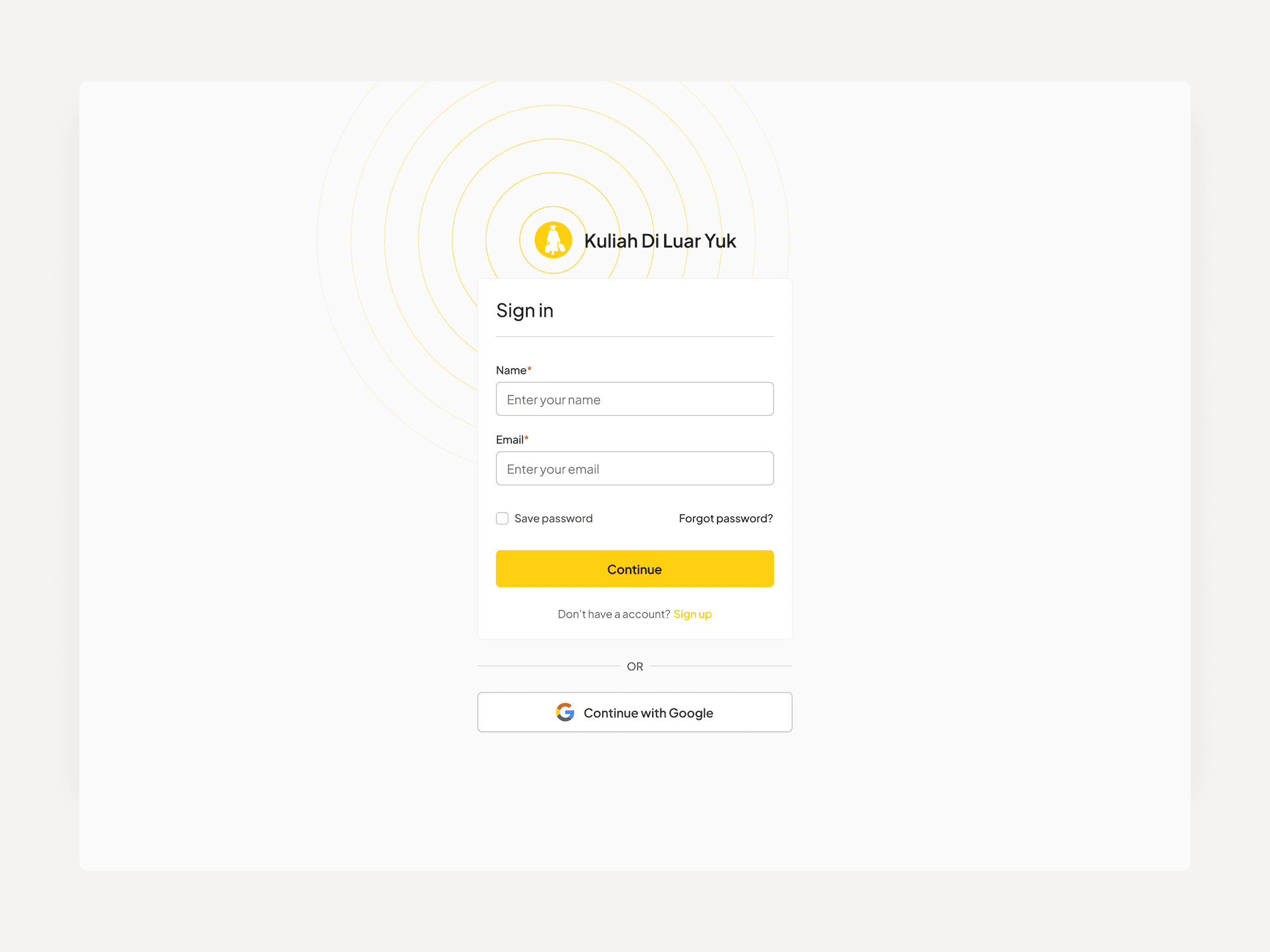
To design a clear, intuitive, and trustworthy AI experience that helps users explore study-abroad options, understand requirements, and make confident decisions—while improving engagement, conversion, and long-term retention.
This AI project focused on simplifying complex information, building trust in AI recommendations, and creating a more intuitive, engaging experience to help users make confident study-abroad decisions.
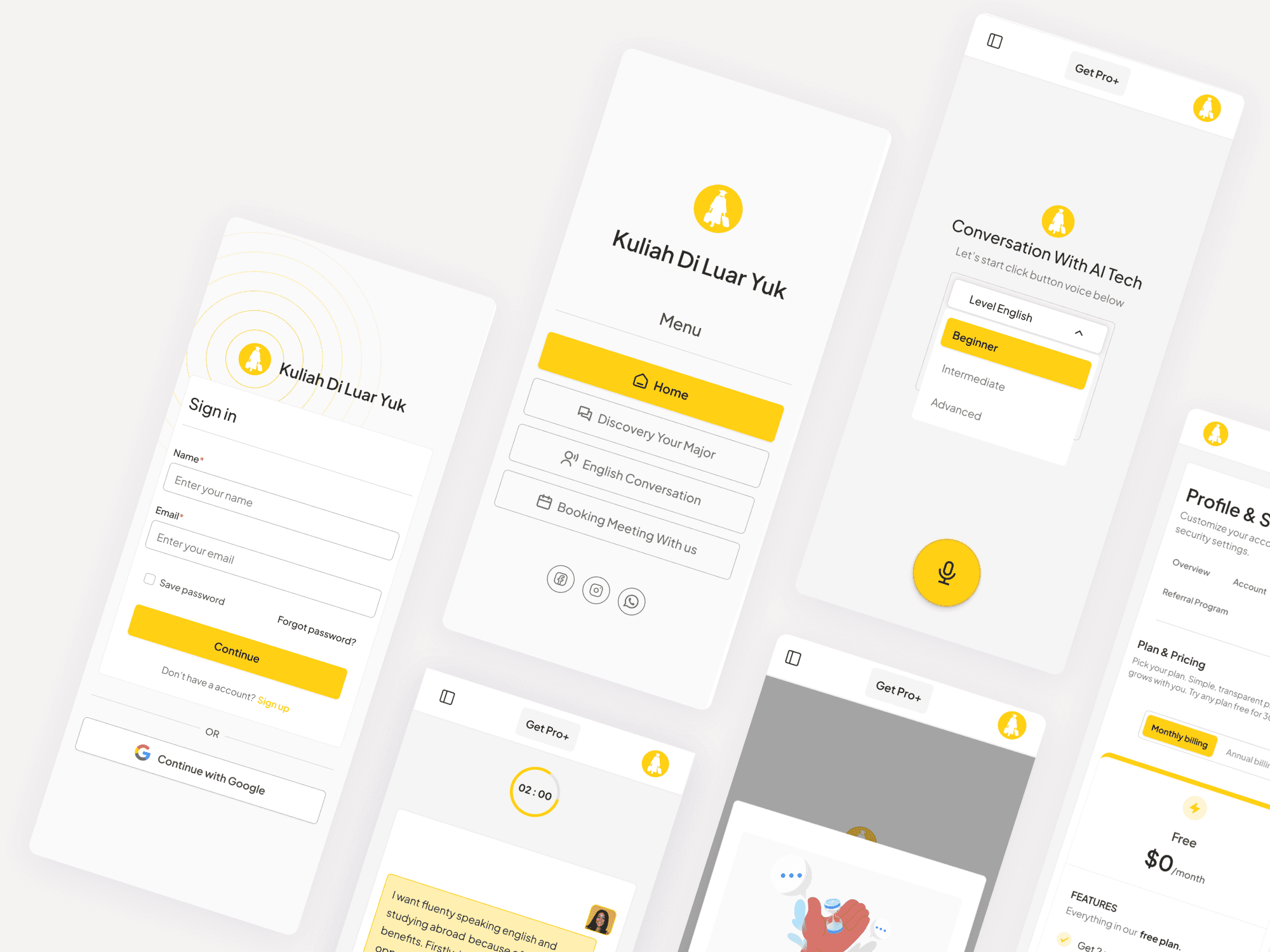
AI Exploration Modal Design
The detailed challenges of the AI Kuliah di Luar Yuk project:
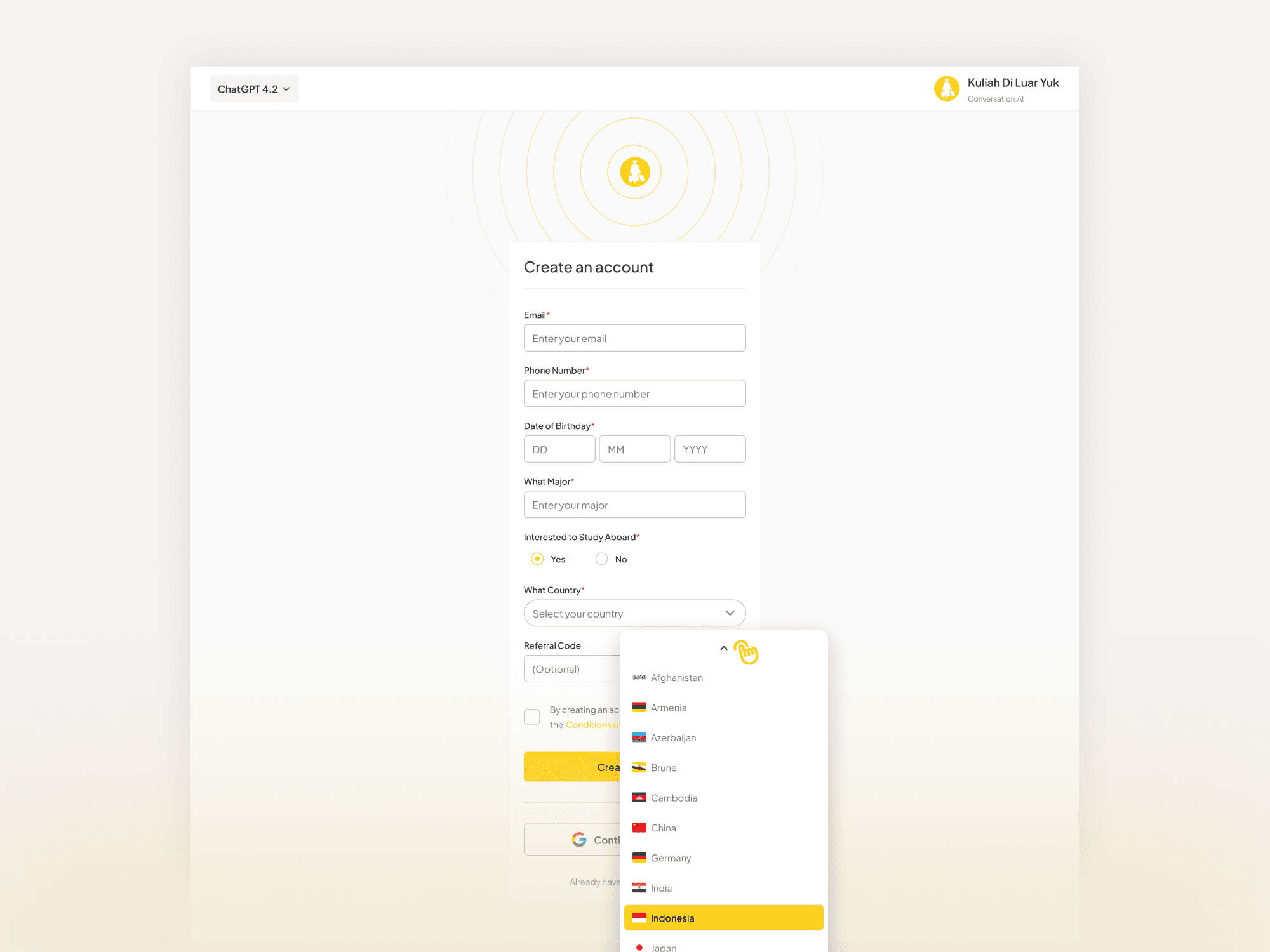
Developing an accurate and relevant 'Discovery Major' feature: This feature is designed to help users find university majors that align with their interests and abilities. The challenge lies in the system's ability to provide precise recommendations based on user data, enabling them to make informed educational decisions.
Integrating a meeting scheduling feature with tutors through Calendly: Users can schedule one-on-one meetings with tutors via Calendly integration. The challenge is to ensure this system operates efficiently, is user-friendly, and easily accessible to all users without technical issues, ensuring smooth coordination of meeting times between both parties.
Ensuring the accuracy of grammar and pronunciation corrections after conversation sessions: After each session, users receive a transcript that includes grammar and pronunciation corrections. The challenge here is to ensure that the corrections provided are precise and helpful, so users can effectively improve their language skills.
Aligning user expectations with time constraints and learning effectiveness: Given the short duration and associated costs, users may have high expectations for their outcomes. The challenge is to convey the value of these brief sessions while ensuring users remain satisfied with their progress.
AI Conversation Flow
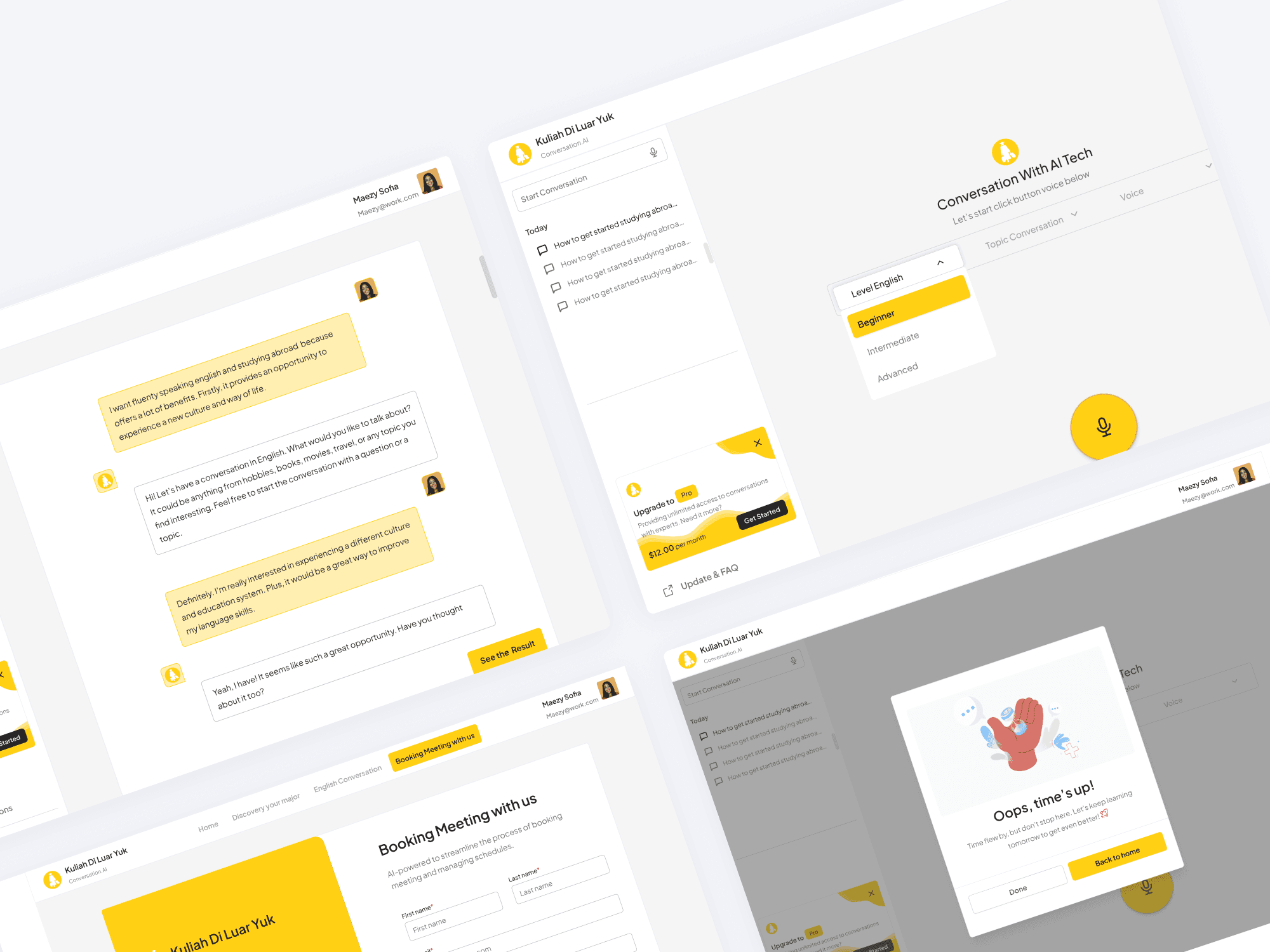
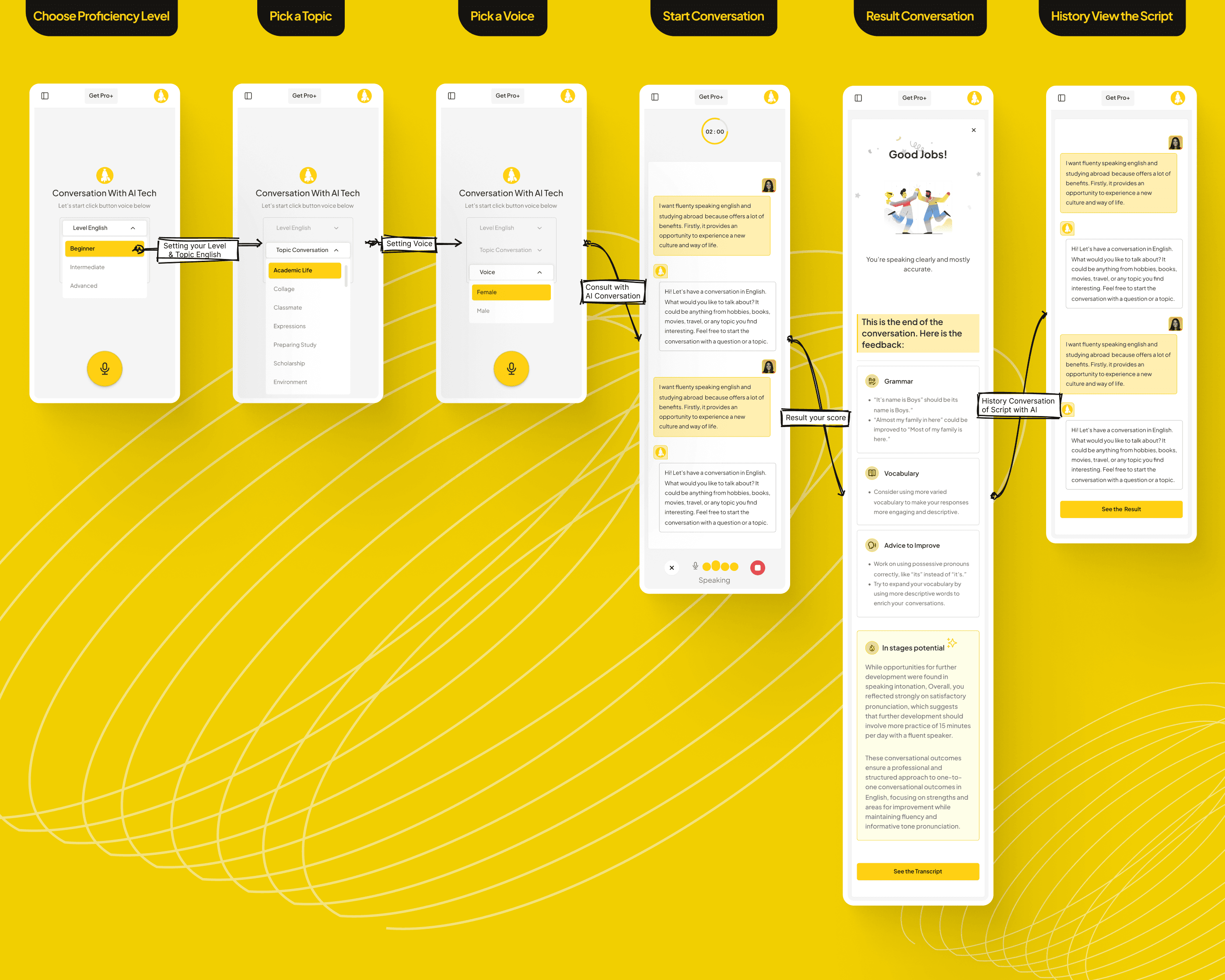
The AI-powered English conversation on Kuliah di Luar Yuk guides learners through four intuitive steps: selecting proficiency level, choosing a conversational topic, viewing the scripted dialogue, and listening to the audio. This streamlined flow helps users quickly access practice material tailored to their needs and encourages active listening and repetition.
Choose Proficiency Level
Select Beginner, Intermediate, or Advanced to match content to your skill.Pick a Topic
Decide on a conversational theme (e.g., travel, education, daily life).Start Conversation
Play speak the conversation to practice listening and pronunciation.Result Conversation
After you complete a dialogue, the “Result Conversation” screen shows a brief end notice with feedback on pronunciation, comprehension, and grammar , highlights a key grammar or vocabulary point for quick review , and suggests shadowing the speakers to boost fluency and confidence .History View the Script
Read the dialogue on screen to learn key phrases and structure.
Project Solution
To address the challenges on the Kuliah di Luar Yuk website, the following solutions can be implemented: offering options to extend the duration of conversation sessions and focus on specific topics; using AI to enhance the accuracy of the 'Discovery Major' feature and providing career consultations; strengthening scheduling integration with automatic reminders; applying NLP technology for grammar and pronunciation corrections; and educating users about the benefits of short sessions while providing regular feedback to keep expectations realistic.
Brand Colors
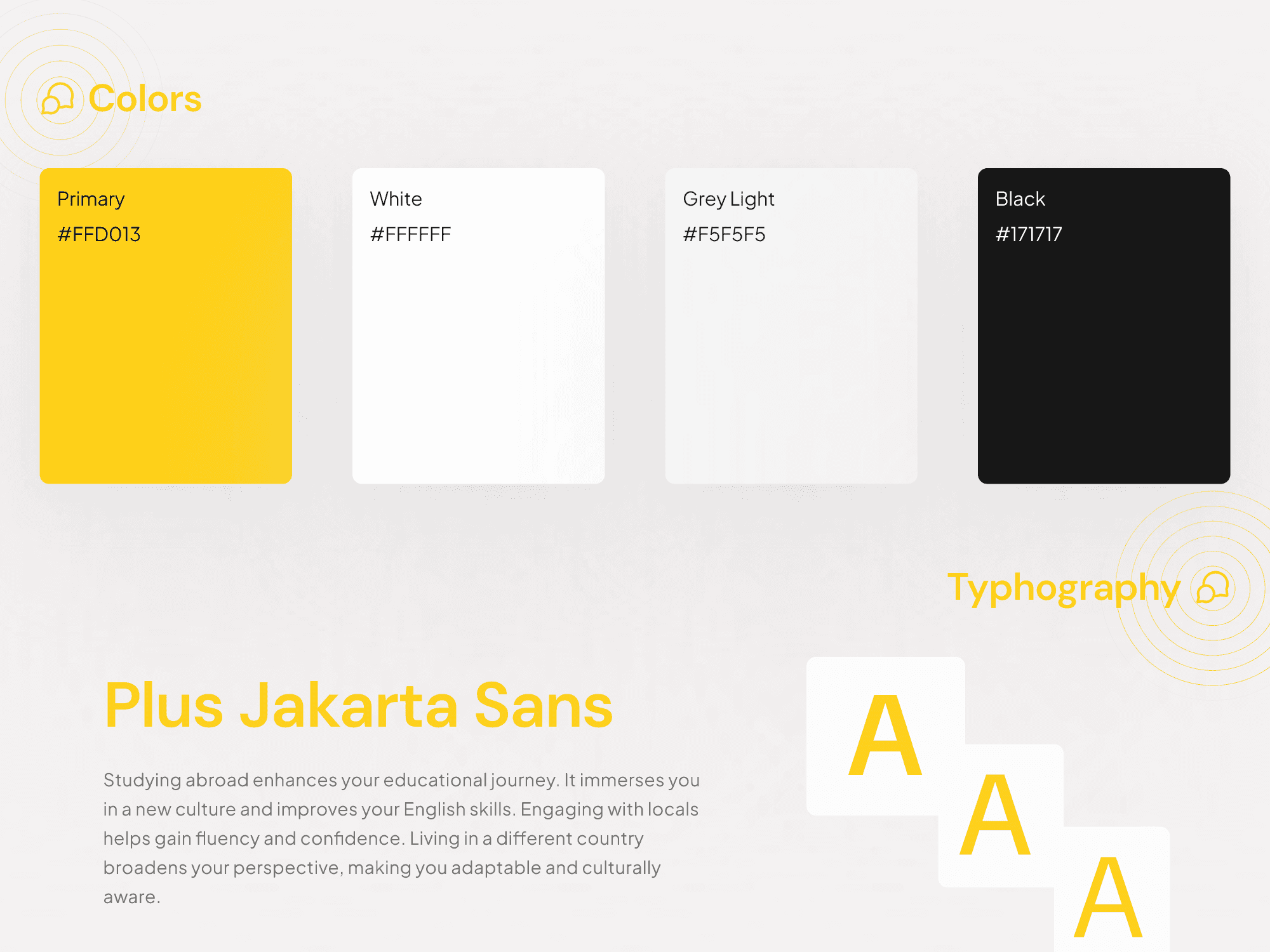
This color system was strategically developed to support both user experience and business performance within the AI conversation product. The use of yellow acts as a primary attention driver to highlight key actions and improve conversion, while the combination of white and light grey creates a clean, low-cognitive interface that enhances readability and encourages longer user sessions, supporting retention. Black is applied to establish strong contrast and visual hierarchy, ensuring clarity and reinforcing trust in the AI’s responses. Overall, the palette balances approachability and credibility, enabling a more engaging, comfortable, and reliable user experience.
Get in contact with me.
Any interesting this design to work on?
Let’s work together. Don’t hesitate to discuss it with me, a cup of coffee would help my brain to work.